
When we shipped Inter-1 streaming, we described the WebSocket protocol, sliding windows, and typed events. This post is about what that feels like in the browser.
The streaming demo is a short, live interaction: you introduce yourself for 30–45 seconds, watch your words and social signals appear in real time, and receive a reflection that reads more like a person who was paying attention—not a transcript pasted into a summary template. No setup required to try it.
A familiar pattern, extended
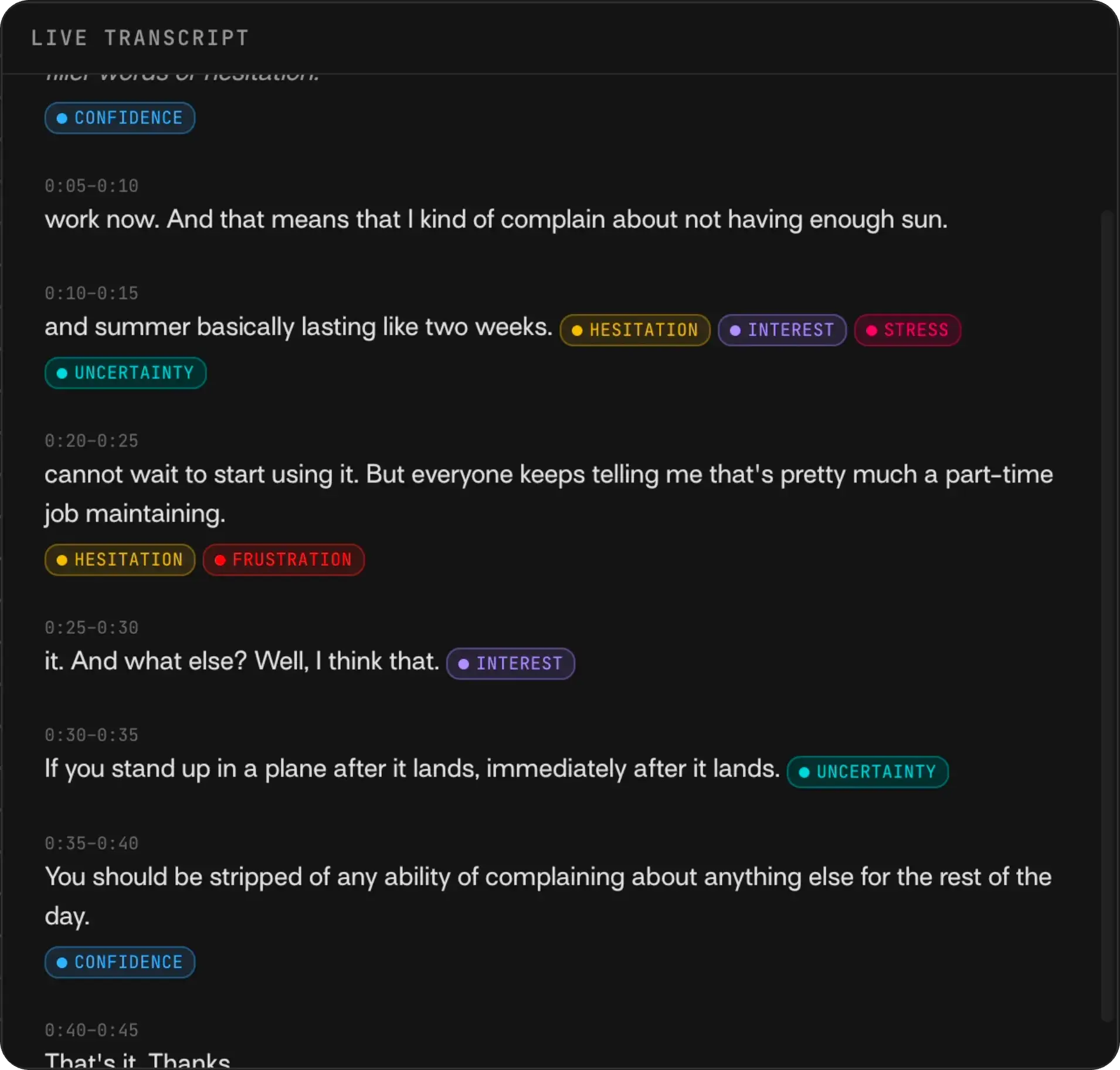
You already know the rhythm: the transcript appears while someone is talking—live captions, rolling podcast text, accessibility tooling. The demo starts there and adds what Inter-1 does on top: the same scrolling transcript, plus social signal badges beside the phrase they were detected on (hesitation, confidence, engagement, and the rest). Those are behavioral cues across verbal, paraverbal, and nonverbal channels—not emotion labels. Transcript tells you what was said; signals tell you how it landed.
The live panel uses progressive disclosure on purpose: words stream in as you speak, and cues appear as Inter-1 detects them—sometimes after a brief analyzing state—instead of dumping the full session when you are done. Same moment-by-moment pace you expect from live transcription, with behavioral intelligence arriving in step.
Try it yourself
Open the demo, allow camera and microphone access, and talk naturally to the camera for about half a minute. Inter-1 prompts you with a short intro line; your webcam stays in a picture-in-picture corner while the live transcript panel takes center stage. Social signals start flowing in as they are detected, inline with what you are saying. When you finish, you get a summary of your entire introduction grounded in those cues—not just a transcript recap.
A reflection that sounds human
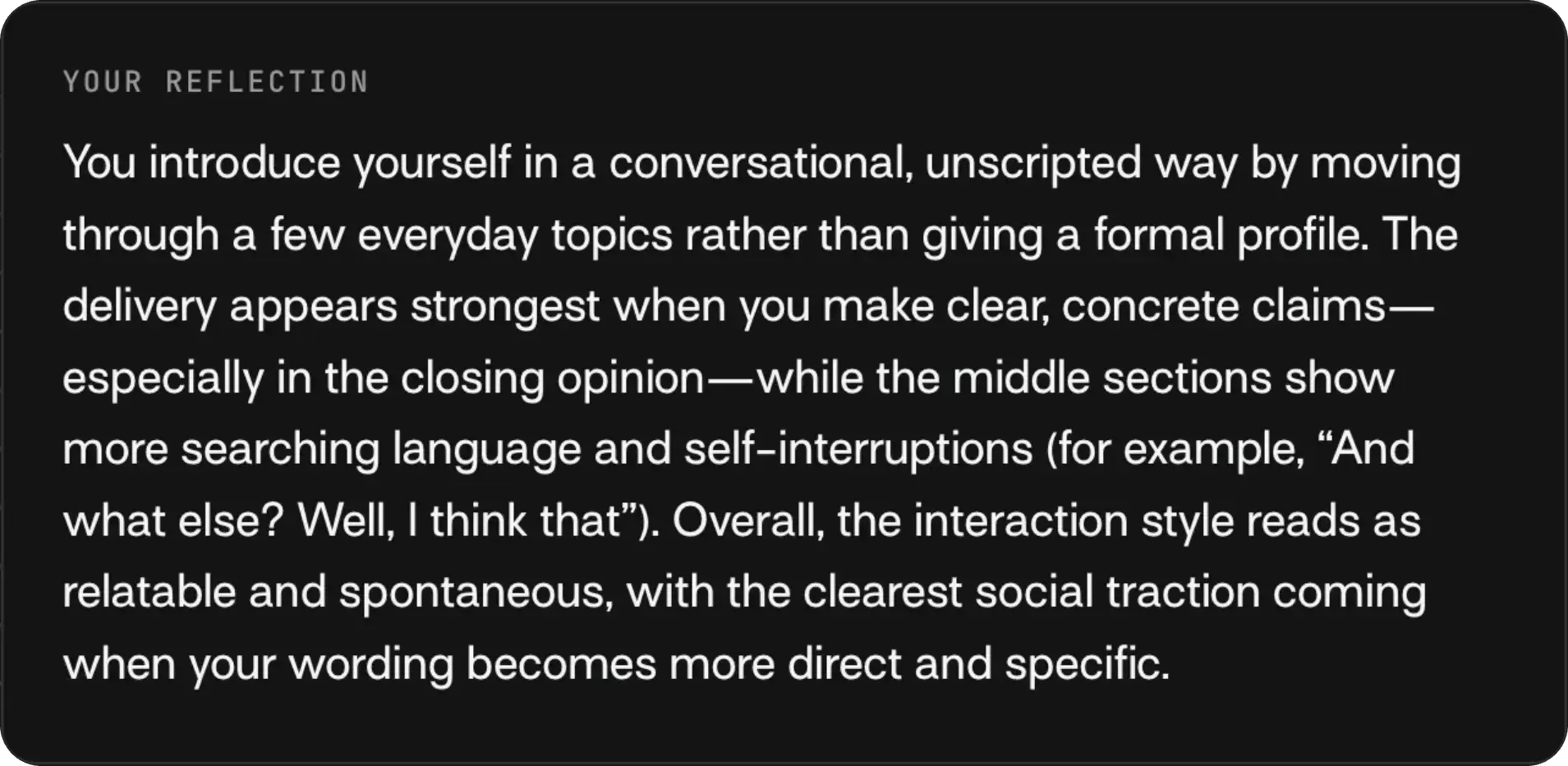
When you finish, Inter-1 generates a short introduction summary labeled “Your reflection” grounded in social signals and transcript together, not transcript alone. That is why it tends to sound less robotic: it can describe how you came across, not only what you said.
For example, a reflection might note hesitation before an unpopular opinion lands, then confidence strengthening while you explain your stance, linking observable cues to the words on the timeline. Highlights call out specific moments; you can click them to jump back to the corresponding window and signal in the recording. The summary can also be read aloud, so you hear the reflection as well as read it.
Get started
The streaming demo is live at /stream-demo. When you are ready to build on the full Streaming API, grab an API key at platform.interhuman.ai, join the developer community on Discord, or read the docs.